
7 Web Development Basics Every Beginner Should Know in 2026
The internet has become an essential part of everyday life. People use websites and web applications to shop, communicate, learn, work, manage businesses, and access digital services. Behind these experiences is web development, the process of creating and maintaining websites and web-based applications.
For beginners, the technology behind a website can seem complicated. Terms such as HTML, CSS, JavaScript, servers, databases, APIs, and hosting can be confusing at first. However, understanding the basic concepts makes it much easier to see how different parts of a website work together.
Whether you want to build a personal website, start a technology project, or explore a career in development, learning the fundamentals can provide a strong foundation.
What Is Web Development?
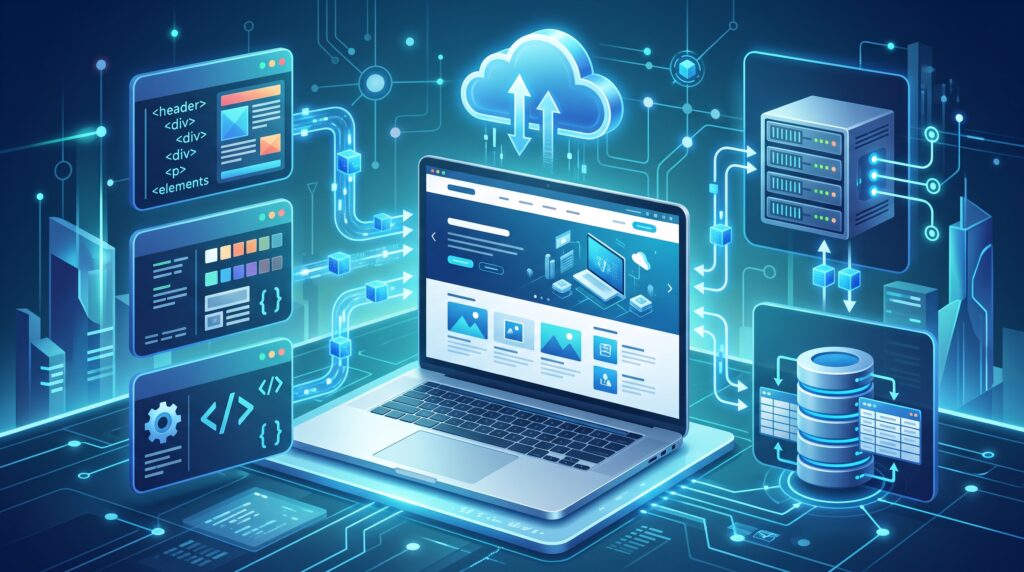
Web development is the process of building, creating, and maintaining websites and web applications. It includes the technologies and programming systems used to make websites functional, interactive, and accessible through the internet.
A simple website might only require HTML and CSS, while a more advanced web application can involve JavaScript, back-end programming, databases, APIs, authentication systems, cloud services, and security tools.
In simple terms, web development brings together the technical components needed to make a website work.
1. Front-End Development
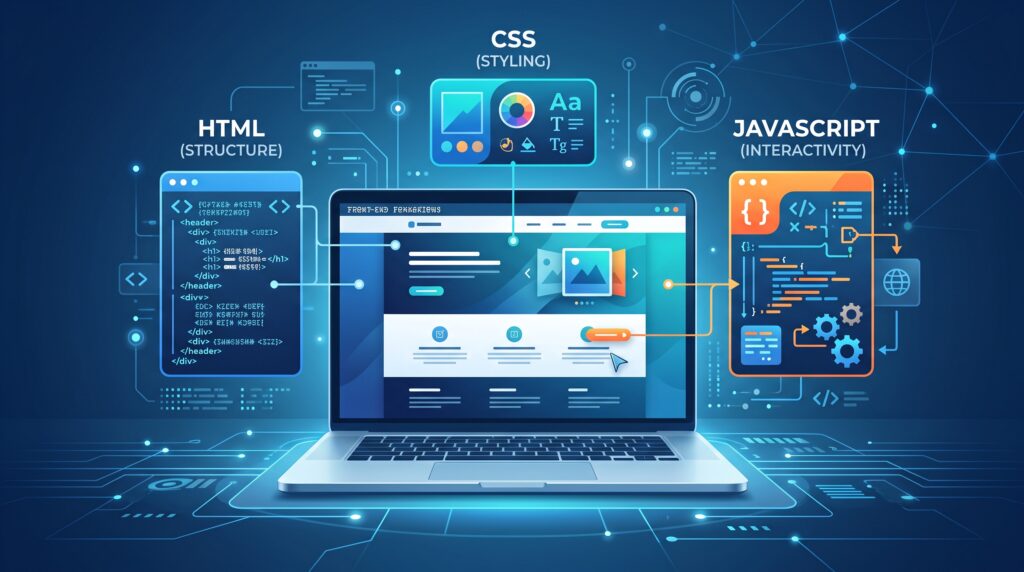
Front-end development focuses on the part of a website that visitors can see and interact with.
Menus, buttons, images, forms, headings, navigation bars, animations, and page layouts are all examples of elements that can be part of the front end.
Three technologies are especially important for beginners.
HTML
HTML stands for HyperText Markup Language. It provides the basic structure of a webpage.
Developers use HTML to create headings, paragraphs, links, images, lists, forms, and other page elements.
For example, a webpage needs HTML to tell the browser where the main heading, article content, images, and links should appear.
CSS
CSS stands for Cascading Style Sheets. It controls the appearance of a webpage.
Developers can use CSS to change fonts, colors, spacing, borders, layouts, and responsive behavior.
CSS is what helps turn a basic HTML page into a visually organized website.
JavaScript
JavaScript adds interactivity and functionality to webpages.
It can be used for interactive menus, calculators, form validation, animations, dynamic content, and many other features.
HTML provides structure, CSS controls appearance, and JavaScript can make the page interactive.
2. Back-End Development
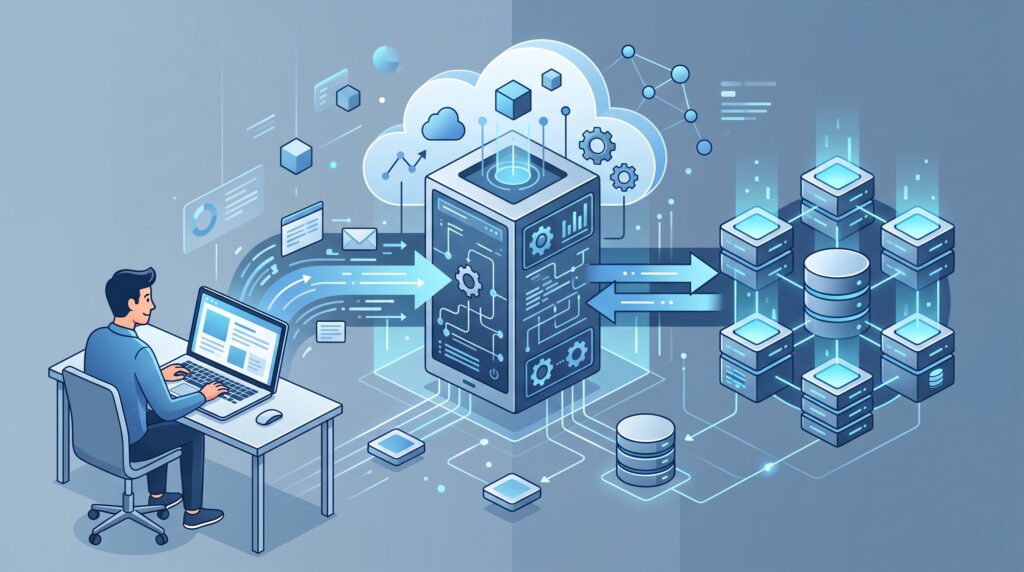
While front-end development focuses on what users see, back-end development handles many of the processes happening behind the scenes.
The back end can process requests, manage user accounts, communicate with databases, handle authentication, and provide information to the front end.
Popular back-end technologies include Python, PHP, Java, and JavaScript through environments such as Node.js.
For example, when someone logs into a website, the login form belongs to the visible interface, but the server-side system can process the submitted information and determine whether the login details are valid.
This makes back-end development an important part of modern websites and web applications.
3. Databases Store Website Information
Many websites need to store and retrieve information.
A database can contain user accounts, product details, articles, comments, orders, settings, and other types of information.
Popular database technologies include MySQL, PostgreSQL, MongoDB, and SQLite.
For example, when you log into an online store, your account information and previous orders may be retrieved from a database.
The back-end application communicates with the database whenever it needs to save, update, or retrieve information.
Database management is therefore an important part of web development, particularly for websites that provide personalized or interactive services.
4. APIs Connect Different Services
API stands for Application Programming Interface.
An API allows different software systems to communicate with each other. APIs are widely used across websites, mobile applications, and online services.
For example, a weather website might use an external API to retrieve weather information. An online store might use a payment API to process transactions.
APIs allow developers to use functionality from other services instead of building every feature from scratch.
This makes it possible to create more powerful applications by connecting multiple technologies together.
5. Responsive Web Design
People access websites using smartphones, tablets, laptops, and desktop computers.
Because screen sizes vary, websites need to work properly across different devices. Responsive web design helps a website adjust its layout and content according to the available screen size.
A responsive website may resize images, reorganize menus, change column layouts, and adjust spacing for smaller screens.
Mobile-friendly design is particularly important because smartphones are now one of the most common ways people access online content.

6. Web Hosting and Servers
A website needs a place to store its files and data so people can access it online.
Web hosting services provide the infrastructure required to make websites available through the internet.
When someone enters a website address into a browser, the browser sends a request to a server. The server then responds by providing the required webpage files or information.
Hosting options can range from basic shared hosting to virtual servers and cloud-based infrastructure.
The right choice depends on factors such as website traffic, performance requirements, security needs, and budget.
For beginners, shared hosting can be easier to manage, while larger websites may require more advanced infrastructure.
7. Website Security Is Essential
Security is another important part of web development.
Websites can face threats such as unauthorized access, malicious code, phishing attempts, data theft, and other attacks.
Developers can improve security through practices such as secure authentication, strong passwords, HTTPS encryption, input validation, access controls, and regular software updates.
Website owners should also keep their content management systems, plugins, themes, frameworks, and other software updated when appropriate.
Security should not be treated as something that is added only after a website has been completed. It is better to consider security throughout the development process.

Web Development vs. Web Design
Web development and web design are closely related, but they are not exactly the same.
Web design generally focuses on the visual appearance and user experience of a website. Designers may work on layouts, typography, colors, navigation, and overall presentation.
Development focuses more heavily on implementing functionality and making the website work correctly.
In real-world projects, designers and developers often work together. A successful website usually needs both an attractive interface and reliable technical functionality.
How Beginners Can Start Learning Web Development
Beginners do not need to learn every programming language or framework at once.
A practical learning path can begin with HTML and CSS. Once the basics become comfortable, learning JavaScript can provide a stronger understanding of interactive websites.
After learning the fundamentals, beginners can explore:
- Front-end frameworks
- Back-end programming
- Databases
- APIs
- Git and version control
- Web hosting
- Website security
- Performance optimization
Building small projects can also be more useful than simply watching tutorials.
For example, beginners can create a personal portfolio, simple blog, landing page, calculator, or basic web application.
Practical projects allow learners to understand how different technologies work together.
The Future of Web Development
The future of web development is likely to involve deeper integration between websites, artificial intelligence, cloud computing, automation, and other emerging technologies.
AI-powered development tools are already helping developers with tasks such as code suggestions, debugging, documentation, and testing.
Cloud services are also making it easier to deploy and scale web applications.
At the same time, performance, accessibility, privacy, and security will remain important considerations.
Developers may increasingly work on applications that combine web technologies with AI services, cloud platforms, connected devices, and automation.
However, the fundamental concepts of HTML, CSS, JavaScript, databases, servers, and security are likely to remain valuable even as specific tools change.

Final Thoughts
Web development combines many different technologies to create websites and web applications. HTML, CSS, JavaScript, back-end programming, databases, APIs, hosting, and security all contribute to the modern web.
For beginners, the number of available tools and technologies can seem overwhelming. Starting with the fundamentals and gradually building practical projects can make the learning process much easier.
As the internet continues to evolve, understanding how websites are built can provide valuable technical knowledge and potentially open the door to many different career and project opportunities.
The most effective approach is to learn one concept at a time, practice through real projects, and gradually explore more advanced technologies.
