
AI Automation Explained: How AI Automation Works in 2026
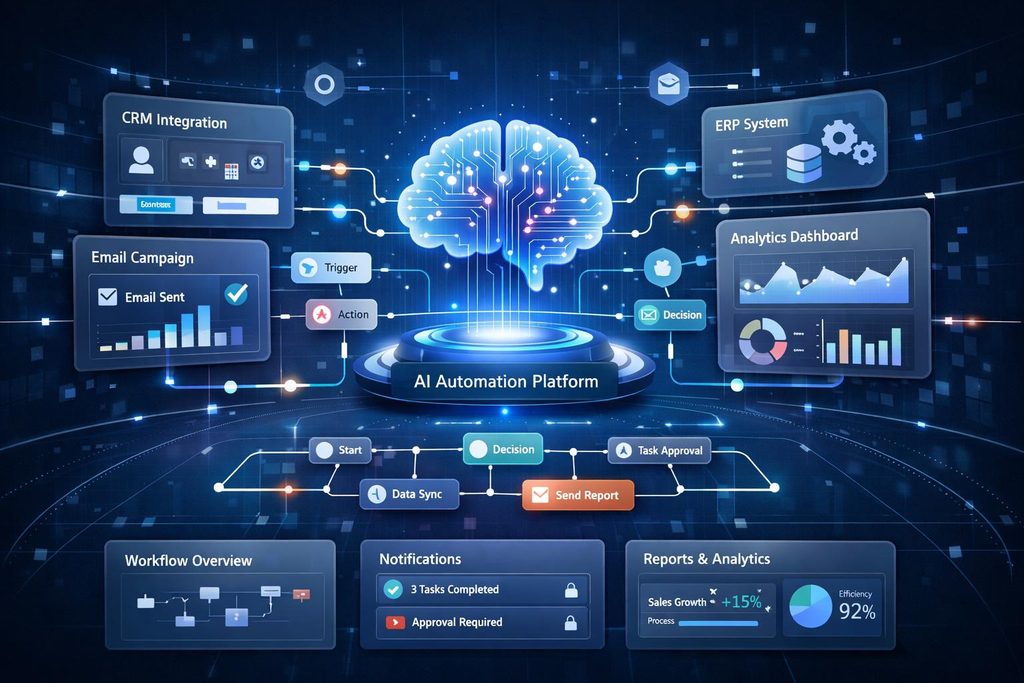
AI is no longer limited to chatbots that answer questions or tools that generate text. In 2026, artificial intelligence is increasingly being connected to everyday software so it can handle tasks, make decisions, and move work from one step to the next with less human involvement.
This is where AI automation comes in.
Instead of simply telling an AI tool what to do, businesses can build workflows where AI receives information, understands it, chooses an appropriate action, and sends the result to another system. That can turn a long manual process into a workflow that runs automatically.
But what exactly is AI automation? How does it work, and where can it actually be useful?
Let’s break it down in simple terms.
What Is AI Automation?
AI automation is the use of artificial intelligence to perform tasks that normally require human input, while automation software connects those AI capabilities to a larger workflow.
Traditional automation usually follows predefined instructions.
For example:
If a customer fills out a form, save the information and send an email.
AI automation can deal with information that is less predictable.
For example:
Customer sends a message → AI understands the request → identifies the issue → checks relevant information → prepares a response → sends it for approval or completes the next action.
The important difference is that AI can work with information such as emails, documents, conversations, images, and other unstructured data rather than only following simple fixed rules.
Modern AI automation can combine AI models, software integrations, APIs, workflow platforms, and sometimes AI agents to complete multi-step processes. AWS describes AI automation as extending traditional automation with AI capabilities so systems can handle more complex tasks.
How Does AI Automation Work?
Although an automated system can become technically complex, the basic process is easier to understand.
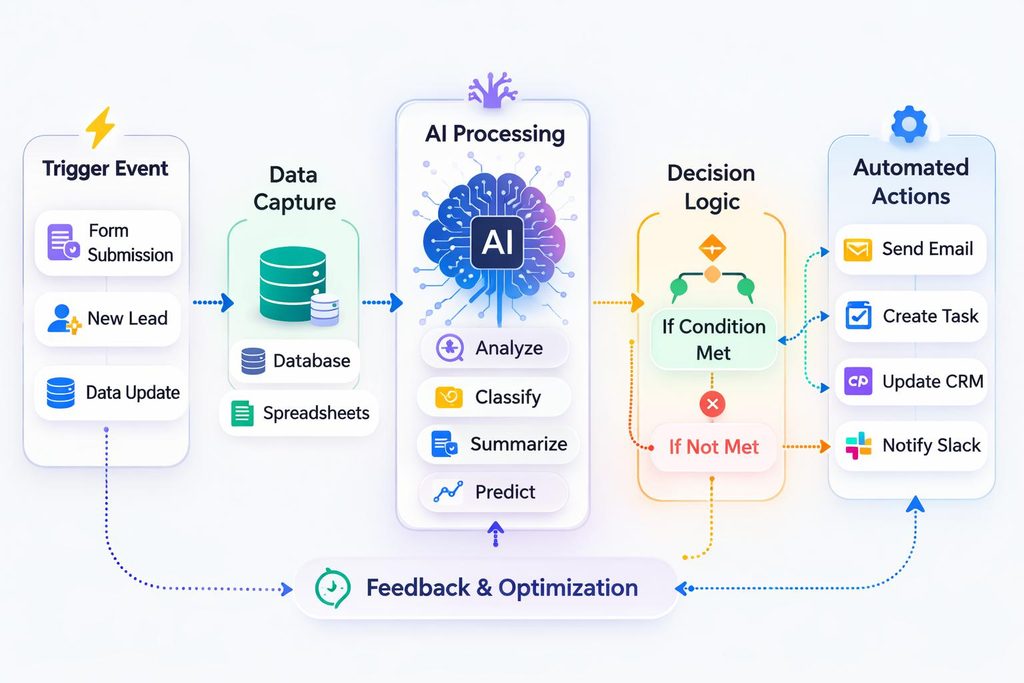
A typical AI automation workflow contains several stages.
1. A Trigger Starts the Workflow
Every automation needs something that tells the system to begin.
A trigger could be:
- A new email
- A customer submitting a form
- A new support ticket
- A document being uploaded
- A payment being received
- A calendar event
- A new order
- A scheduled time
For example, imagine a company receives hundreds of customer emails every day.
A new email could automatically start an AI-powered workflow.
2. AI Reads and Understands the Information
The next step is understanding what has been received.
An AI model can analyze the text and determine what the message is about.
For example, it could classify an email as:
- Billing question
- Technical problem
- Product request
- Refund request
- General question
This is where AI makes the workflow more flexible than a simple rule-based system.
Instead of looking for one exact word, the AI can consider the meaning and context of the message.
AI automation often relies on machine learning to recognize patterns, classify information, and improve how tasks are handled. If you want to understand this technology in more detail, read our guide to Machine Learning Explained.
3. The System Makes a Decision
After understanding the input, the automation decides what should happen next.
For example:
Refund request → send to billing team
Technical problem → create support ticket
Simple question → prepare an automatic response
Urgent issue → notify a human immediately.
The exact decision depends on the instructions, data, and rules provided to the system.
4. An Action Is Performed
The automation then carries out the next step.
It might:
- Create a support ticket
- Update a CRM record
- Send an email
- Add information to a spreadsheet
- Generate a report
- Notify an employee
- Search a database
- Move a file
- Start another workflow
This is what makes AI automation different from simply asking an AI chatbot a question.
The AI is connected to other software and can participate in an actual process.
5. Human Review Can Be Added
AI automation does not always need to operate completely on its own.
For important decisions, a human can remain part of the workflow.
For example:
AI analyzes a customer refund request, prepares a recommendation, human approves it, and automation completes the refund process.
This approach can reduce risk while still saving time.
Microsoft’s 2026 research also emphasizes that organizations need to redesign work around AI and maintain human judgment and accountability as agents take on more execution.
AI Automation vs. Traditional Automation
Traditional automation and AI automation are related, but they are not identical.
Traditional Automation
Traditional automation is excellent when the process is predictable.
For example:
If an order is received, update inventory and send a confirmation email.
The software follows predefined instructions.
AI Automation
AI automation becomes useful when the workflow involves information that can vary.
For example:
Read a customer message → understand the problem → classify the request → find relevant information → create an appropriate response → send it for approval.
The AI provides an interpretation layer between the input and the action.
This does not mean traditional automation is becoming useless. In fact, many useful AI workflows combine both approaches.
AI handles the parts that require interpretation, while traditional automation handles predictable actions.
What Role Do AI Agents Play?
One of the biggest developments in AI automation in 2026 is the growing use of AI agents.
An AI agent is software that can interpret information, use available tools, make decisions, and take actions toward a defined goal.
For example, a traditional automation might be programmed to send an email whenever a particular event occurs.
An AI agent could instead examine the situation, determine which action is appropriate, use connected tools, and continue through multiple steps.
Microsoft’s current guidance describes agent types ranging from productivity agents to action agents and more autonomous automation agents.
This is why AI automation is becoming more capable.
The workflow is no longer limited to moving information from one application to another. AI can help determine what should happen next. AI agents can help automate multi-step tasks by interpreting information, using connected tools, and deciding what action to take next. For more details, read the official Microsoft Learn guide to AI agent adoption.
Real-World Uses of AI Automation
AI automation can be useful in many areas.
Customer Support
Businesses can use AI to classify incoming requests, search knowledge bases, prepare replies, and route complicated problems to human employees.
Simple questions can potentially be handled faster while difficult cases can still be escalated.
Marketing
Marketing teams can automate parts of their workflow by using AI to:
- Categorize leads
- Analyze customer feedback
- Draft content
- Summarize campaign results
- Personalize messages
- Organize research
Human review can remain in place for important customer-facing content.
Sales
Sales teams can use automation to organize incoming leads and prioritize follow-ups.
For example, an AI system could examine information submitted through a website and identify which leads appear to require immediate attention.
Document Processing
Businesses receive invoices, applications, contracts, forms, and other documents every day.
AI can help extract information from these documents and send the results into business systems.
This is particularly useful when the documents do not follow exactly the same format.
IT Operations
AI automation can also help IT teams analyze alerts, summarize incidents, classify support requests, and trigger predefined responses.
More advanced systems can combine monitoring tools with AI agents to handle parts of a larger incident-response workflow.
Personal Productivity
AI automation is not only for large companies.
Individuals can use automated workflows to organize emails, summarize documents, create reminders, manage files, and connect different productivity applications.
Benefits of AI Automation
When implemented properly, AI automation can provide several practical advantages.
Saves Time
Repetitive tasks can consume a large part of a workday.
Automating those tasks gives people more time for work that requires creativity, communication, and judgment.
Reduces Manual Work
Employees do not have to repeatedly copy information between systems or perform the same basic process hundreds of times.
Handles Large Volumes
An automated workflow can process many requests without requiring someone to manually start each task.
Works With Unstructured Information
One of AI automation’s biggest advantages is its ability to work with information such as natural-language messages, documents, and images.
Speeds Up Workflows
When one automated step immediately triggers the next, processes can move much faster than workflows that depend on manual handoffs.
What Are the Risks of AI Automation?
AI automation is powerful, but it should not be treated as perfect.
AI systems can misunderstand information, produce incorrect outputs, or make poor decisions when the available context is incomplete.
There are also security and privacy concerns.
If an AI system is connected to company databases, email accounts, customer records, or other applications, its permissions need to be carefully controlled.
Another important issue is monitoring.
A workflow that works correctly today may behave differently after its data, software integrations, or AI model changes.
For high-impact processes, businesses should therefore use testing, access controls, monitoring, fallback procedures, and human review where appropriate.
How to Start With AI Automation
You do not need to automate an entire company at once.
A better approach is to start small.
Step 1: Find a Repetitive Task
Look for a process that happens frequently and consumes unnecessary time.
Step 2: Define the Desired Result
Be clear about what the automation should produce.
For example:
Input: Customer email
AI task: Understand and classify the request
Action: Send it to the correct department
Step 3: Choose the Right Tools
Depending on the workflow, you may need an AI model, automation platform, business applications, APIs, and data sources.
Step 4: Test Before Expanding
Start with a limited number of tasks.
Check how often the AI produces incorrect results and determine when a human should take over.
Step 5: Monitor the Workflow
After deployment, keep checking its results.
Good AI automation is not simply about making a workflow run automatically. It is about making sure the workflow continues to produce useful and reliable results.
What Will AI Automation Look Like in the Future?
AI automation is moving toward workflows that can handle increasingly complicated tasks.
Instead of automating one isolated action, organizations are beginning to connect multiple AI-powered steps into larger processes.
For example, a future workflow might:
Receive a request → understand the goal → research information → create a draft → check the result → ask for approval → update business systems → record the outcome.
That does not mean humans disappear from the process.
In many cases, their role shifts toward setting goals, checking important decisions, defining quality standards, and handling exceptions.
Microsoft reported substantial year-over-year growth in active agents in its Microsoft 365 ecosystem in its 2026 Work Trend Index, illustrating how quickly agent-based workflows are becoming part of workplace software.

Final Thoughts
AI automation is changing the meaning of automation.
Traditional automation is very good at following predictable instructions. AI automation adds the ability to interpret information, work with context, and support decisions inside a larger workflow.
In 2026, the most useful approach is not simply to automate everything.
Instead, businesses should identify the right tasks for AI, connect them to reliable systems, keep appropriate human oversight, and continuously evaluate the results.
The real opportunity is not replacing every human task. It is building workflows where AI handles repetitive and information-heavy work while people focus on judgment, creativity, and decisions that matter most.
Frequently Asked Questions
What is AI automation in simple words?
AI automation means using artificial intelligence together with automation software to perform tasks, understand information, make decisions, and move work through a process with less manual effort.
Is AI automation the same as traditional automation?
No. Traditional automation generally follows predefined rules, while AI automation can interpret more complex or unstructured information and help determine what should happen next.
Is AI automation useful for small businesses?
Yes. Small businesses can use AI automation for tasks such as customer support, document processing, lead management, email organization, and repetitive administrative work.
Does AI automation replace humans?
Not necessarily. Many useful systems are designed to keep humans involved for approvals, important decisions, quality checks, and unusual situations.
Is AI automation safe?
It can be useful when properly designed, but it requires appropriate permissions, testing, monitoring, security controls, and human oversight for sensitive workflows.