Cybersecurity Basics: Essential Tips to Stay Safe Online in 2026
The internet has become part of almost every area of daily life. People use smartphones and computers to manage bank accounts, shop online, communicate with others, work remotely, store personal files, and access important services. While this convenience makes everyday tasks easier, it also creates opportunities for cybercriminals to target accounts, devices, and personal information.
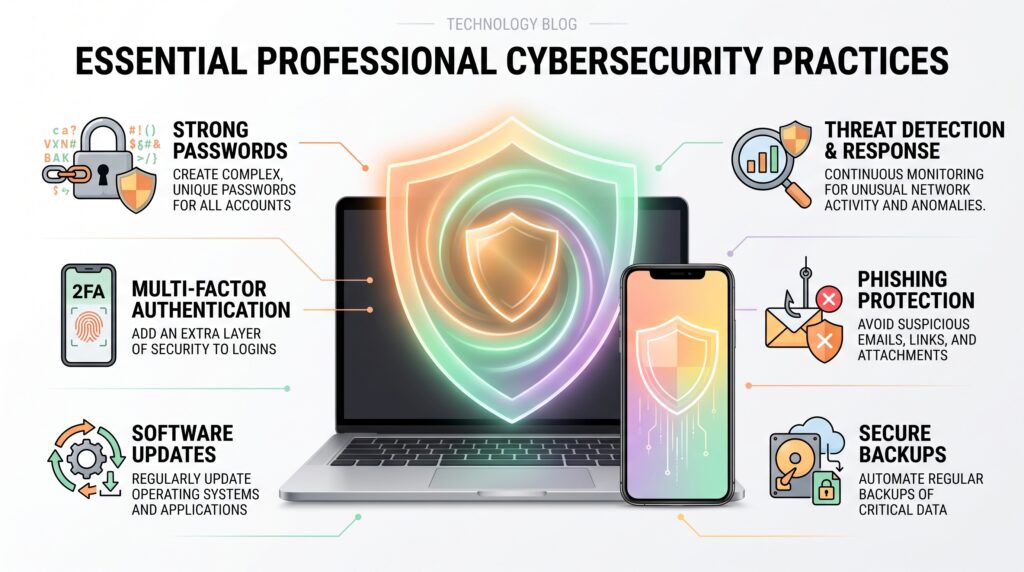
Understanding cybersecurity basics can help everyday users reduce these risks without needing advanced technical knowledge. Simple habits such as using strong passwords, enabling multi-factor authentication, updating software, recognizing suspicious messages, and keeping reliable backups can make a meaningful difference.
The Cybersecurity and Infrastructure Security Agency (CISA) also recommends practical measures such as recognizing phishing, using strong passwords, enabling multifactor authentication, and keeping software updated. Cybersecurity basics can help everyday users build safer online habits without requiring advanced technical knowledge. Cybersecurity basics provide a practical starting point for protecting your accounts, devices, and personal information.
What Is Cybersecurity?
Cybersecurity refers to the practices and technologies used to protect computers, smartphones, networks, applications, and digital information from unauthorized access, damage, theft, or disruption.
For an everyday internet user, security does not necessarily mean installing complicated software or understanding advanced hacking techniques. It often starts with basic decisions made during normal online activities.
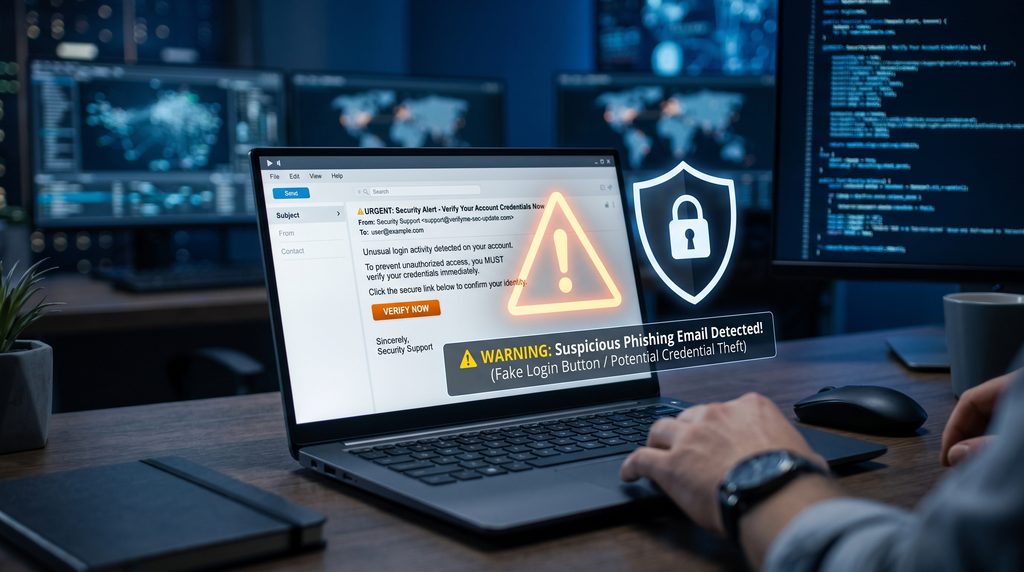
For example, someone may receive an unexpected email asking them to confirm their account information. Clicking the included link without checking the sender could expose login details to an attacker. Similarly, using the same password across several websites can create a larger problem if one account is compromised.
Good security habits are therefore based on reducing unnecessary risks and making it harder for attackers to gain access.
Why Cybersecurity Matters for Everyday Users
Cybersecurity is sometimes associated with large companies, government agencies, and security professionals. However, individuals can also become targets.
Personal accounts may contain valuable information such as the following:
- Email addresses
- Phone numbers
- Financial information
- Saved passwords
- Private photographs
- Work documents
- Shopping information
- Personal messages
A compromised account can also become a gateway to other services. If the same password is used for email, shopping, and social media accounts, one stolen credential could potentially affect several parts of a person’s digital life.
Learning cybersecurity basics is an important step for anyone who regularly uses connected devices and online services.
Common Cybersecurity Threats You Should Know
Understanding common threats makes suspicious activity easier to recognize.
Phishing
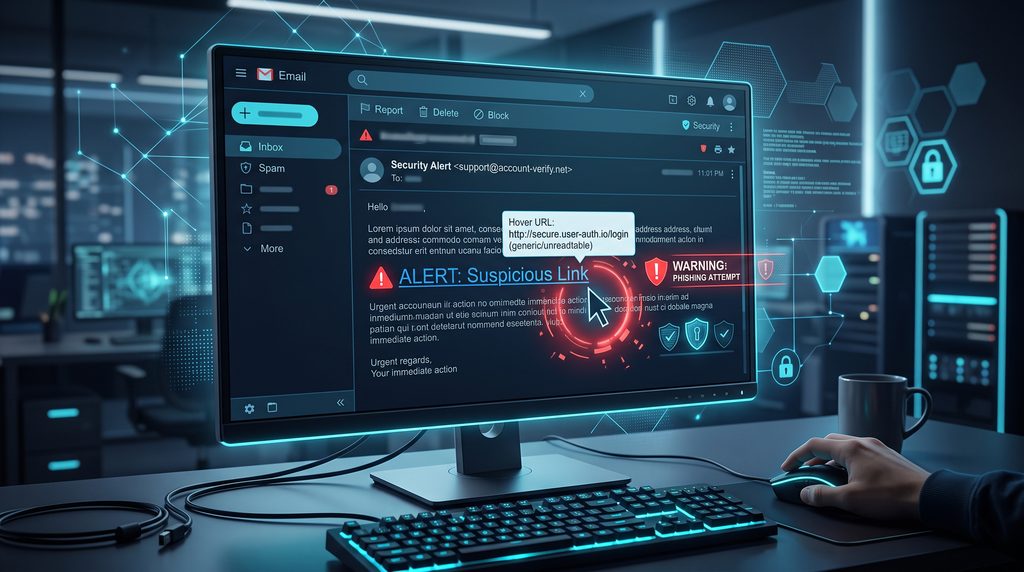
Phishing is one of the most common online scams. An attacker may send an email, text message, or social media message that appears to come from a legitimate company or person.
The message may ask the recipient to:
- Click a link
- Open an attachment
- Confirm account information
- Make a payment
- Enter a password
- Share personal information
The goal is often to trick the victim into revealing information or installing malicious software.
Before clicking a suspicious link, check the sender, the wording of the message, and the destination of the link. Be especially careful when a message creates unnecessary urgency. Understanding cybersecurity basics can make it easier to recognize suspicious activity before it becomes a serious problem.
Malware
Malware is malicious software designed to perform unwanted or harmful actions on a device.
Different forms of malware can have different purposes. Some may steal information, monitor activity, damage files, or provide unauthorized access to a device.
Keeping operating systems and applications updated can reduce exposure to known security weaknesses.
Ransomware
Ransomware is a type of malware that can prevent users or organizations from accessing their files or systems. Attackers may demand payment in exchange for restoring access.
One of the most important defenses against data loss is maintaining reliable backups. CISA recommends backing up important data and protecting stored information through measures such as encryption.
Weak or Reused Passwords
A weak password can make an account easier to compromise. Reusing the same password across multiple services creates an additional risk.
If one website experiences a data breach and a password is exposed, attackers may attempt to use the same credentials on other services.
A better approach is to use unique passwords for important accounts and store them with a reputable password manager.
5 Simple Cybersecurity Habits to Start Using
You do not need to completely change how you use technology to improve your security. Start with a few practical habits.
1. Use Strong and Unique Passwords
Create passwords that are difficult to guess and avoid using the same password for multiple important accounts.
Your email account deserves particular attention because it may be connected to password-reset systems for other services.
A password manager can help generate and store unique credentials without requiring you to memorize every password. For more practical online safety guidance, CISA recommends using strong passwords, enabling multi-factor authentication, recognizing phishing attempts, and keeping software updated.
2. Enable Multi-Factor Authentication
Multi-factor authentication, commonly called MFA, adds another verification step after the password.
Depending on the service, this may involve the following:
- An authentication app
- A security key
- A verification code
- A biometric method
Even if someone obtains your password, an additional authentication factor can make unauthorized access more difficult.
3. Keep Software Updated
Software updates often include important improvements beyond new features. They can also include security fixes.
Keep your operating system, browser, mobile applications, and other important software updated whenever practical.
4. Think Before Clicking
Unexpected links deserve extra attention.
If an email claims that your account has a problem, instead of clicking its link, open the company’s official website directly through your browser or use its official application.
5. Back Up Important Files
Important photographs, documents, and other personal files should not exist in only one location.
A secure external drive or properly selected cloud storage service can provide another copy. CISA similarly recommends secure backups as part of protecting stored data.
How to Protect Your Online Accounts
Strong passwords and multi-factor authentication are important, but account security does not stop there. The way you respond to unexpected messages, manage connected devices, and review account activity can also affect your overall security.
Be Careful With Unexpected Emails and Messages
A suspicious message may look professional and still be fraudulent. Attackers can copy familiar logos, writing styles, and company names to make a message appear legitimate.
Before responding, ask yourself:
- Was I expecting this message?
- Do I recognize the sender?
- Is the message creating unnecessary urgency?
- Does the link lead to the company’s real website?
- Is it asking for sensitive information?
If something feels unusual, avoid using the link provided in the message. Instead, visit the organization’s official website directly.
Review Your Account Activity
Many online services allow users to review recent login activity or connected devices. Checking this information occasionally can help you notice unfamiliar activity.
Look for:
- Unknown devices
- Unexpected locations
- Unrecognized login times
- Applications you no longer use
- Password changes you did not request
If you notice suspicious activity, change the affected password and review the account’s security settings.
Protect Your Smartphone and Computer
Computer vision can support security applications that rely on cameras and visual information.
Your devices contain a large amount of personal information, so protecting the device itself is an important part of cybersecurity basics. Following cybersecurity basics can also help protect personal devices from common digital threats. Following cybersecurity basics can help reduce common risks associated with personal devices.
Use a Screen Lock
Enable a strong PIN, password, fingerprint, or other supported authentication method.
Avoid leaving phones and laptops completely unprotected, especially when they contain personal, financial, or work-related information.
Install Apps Carefully
Download applications from trusted sources and avoid installing software simply because an unfamiliar website recommends it.
Before installing an app, consider:
- Who developed it?
- Does it have legitimate reviews?
- What permissions does it request?
- Is the application still maintained?
- Does the requested access make sense?
An app requesting access that appears unrelated to its purpose deserves additional scrutiny.
Remove Apps You No Longer Need
Unused applications can increase the number of programs installed on a device. Removing software that you no longer use can make device management easier and reduce unnecessary permissions.
Be Careful When Using Public Wi-Fi
Public Wi-Fi can be convenient at airports, hotels, coffee shops, libraries, and other locations. However, users should avoid assuming that every public network is trustworthy.
Before connecting:
- Confirm the network name with the business.
- Avoid sensitive activities on suspicious networks.
- Keep your device’s security features enabled.
- Avoid automatically connecting to unknown networks.
- Use secure websites when entering sensitive information.
If you need to access an important account while traveling, using your mobile connection may sometimes be a safer alternative to an unfamiliar public network. These cybersecurity basics are especially useful when accessing the internet from unfamiliar locations.
Protect Your Personal Information
Not every security risk involves malware or hacking. Oversharing information online can also create opportunities for scams and social engineering.
Avoid publicly sharing unnecessary details, such as
- Full birth dates
- Home addresses
- Private phone numbers
- Account recovery information
- Travel plans in real time
- Sensitive work information
Review the privacy settings on social media accounts and other platforms you regularly use.
The less unnecessary personal information available publicly, the harder it can be for someone to build a detailed profile for targeted scams.
What Is Social Engineering?
Social engineering involves manipulating people into revealing information or taking an action that benefits an attacker.
Instead of attacking a computer directly, a criminal may try to convince a person that they are
- A bank employee
- A technical support representative
- A coworker
- A delivery company
- A government official
- A friend or family member
For example, someone might receive a phone call claiming that suspicious activity has been detected on their bank account. The caller then asks for a verification code.
The safest response is to stop the conversation and contact the organization through an official phone number or website.
Never assume that someone is legitimate simply because they know some information about you.
How to Secure Your Email Account
Your primary email account deserves special attention because it may be connected to many other online services.
If someone gains access to your email, they may potentially use password-reset features to access other accounts.
For better protection:
- Use a unique password.
- Enable multi-factor authentication.
- Review recovery email addresses and phone numbers.
- Check recent login activity.
- Remove unknown connected applications.
- Keep recovery information up to date.
Your email account should effectively be treated as one of your most important digital accounts.
Create a Simple Backup Strategy
Backing up files is one of the most practical ways to reduce the impact of device failure, accidental deletion, or certain cyberattacks.
A useful approach is to maintain important files in more than one location.
For example:
Primary copy → Computer
Backup copy → External drive or trusted cloud service
Important files can include:
- Family photographs
- Tax documents
- Work files
- School documents
- Personal projects
- Important records
For especially valuable information, consider keeping a backup that is not permanently connected to your computer.
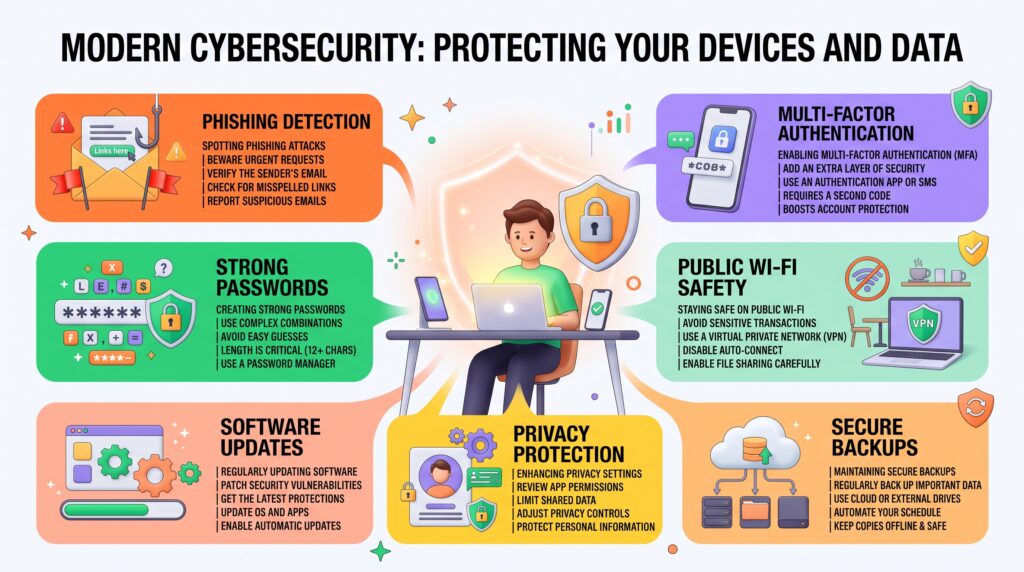
A Practical Cybersecurity Checklist
Before considering your basic security setup complete, check the following:
☐ I use unique passwords for important accounts.
☐ I have enabled multi-factor authentication where available.
☐ My operating system and important applications are updated.
☐ I know how to identify suspicious emails and messages.
☐ My main email account has additional security enabled.
☐ I regularly review important account activity.
☐ My smartphone and computer use screen locks.
☐ I download software from trusted sources.
☐ I maintain backups of important files.
☐ I avoid entering sensitive information on suspicious websites.
☐ I review privacy settings on major online accounts.
☐ I avoid sharing unnecessary personal information publicly.
Following these steps does not guarantee complete protection, but it can significantly improve everyday digital security.
What to Do If You Think an Account Has Been Compromised
If you suspect someone has accessed one of your accounts, act quickly rather than ignoring the warning signs.
Start by changing the password from a trusted device. If the same password was used elsewhere, change it on those services too.
Next, review recent account activity and remove unfamiliar devices or sessions. Check whether recovery information, email addresses, or security settings have been changed.
If financial information may have been exposed, contact the relevant financial institution through its official communication channels.
You should also investigate how the compromise happened. A reused password, suspicious application, phishing message, or outdated software could be responsible.
Identifying the cause can help prevent the same problem from happening again.
Why Cybersecurity Is an Ongoing Process
Online security is not something you configure once and forget. New scams, vulnerabilities, and attack methods continue to appear as technology changes.
That means good security requires occasional maintenance.
Take a few minutes each month to:
- Install pending security updates.
- Review important account activity.
- Check connected devices.
- Remove unnecessary applications.
- Verify backups.
- Review privacy settings.
- Update passwords when necessary.
These small actions are easier to maintain than trying to fix a serious security problem after it occurs.
Cybersecurity Basics
Useful Tools for Better Online Security
Good security practices become easier when you use the right tools. You do not need dozens of security applications. A small set of reliable tools can cover many everyday needs.
Password Managers
A password manager can generate, store, and organize unique passwords for different accounts.
Instead of remembering dozens of credentials, you generally need to remember one strong master password.
A password manager becomes especially helpful when you replace reused passwords with unique credentials for important accounts such as email, banking, shopping, and social media.
Authentication Apps
Authentication apps can provide verification codes for accounts that support multi-factor authentication.
They can be useful when you want an additional layer of protection beyond a password.
When setting up an authentication method, save the service’s recovery options somewhere secure in case you lose access to your primary device.
Device Security Software
Modern operating systems already include several built-in security features. Keeping those protections enabled and maintaining current software can provide an important baseline.
For additional protection, users should research security software carefully and choose reputable products rather than installing unfamiliar programs that make exaggerated security claims.
VPNs and Online Privacy
A virtual private network, commonly called a VPN, creates an encrypted connection between your device and a VPN server.
VPNs can be useful in certain situations, particularly when connecting through networks you do not fully trust. However, a VPN should not be treated as a complete security solution.
It does not automatically protect you from:
- Phishing websites
- Weak passwords
- Malware
- Fake applications
- Social engineering
- Unsafe downloads
In other words, using a VPN is only one part of a broader security strategy.
Common Cybersecurity Mistakes to Avoid
Even users who understand basic security principles can make mistakes. Some of the most common problems are caused by convenience. Understanding cybersecurity basics can help users avoid many of these common mistakes.
Using the Same Password Everywhere
This is one of the easiest habits to change. If one service experiences a data breach, using the same password elsewhere can leave multiple accounts vulnerable.
Use different passwords for important services.
Ignoring Software Updates
Repeatedly dismissing update notifications can leave known security weaknesses unpatched.
Whenever possible, enable automatic updates for your operating system and regularly update important applications.
Clicking Links Without Checking Them
A message that looks urgent can encourage people to act before thinking.
Instead of clicking immediately, verify the sender and visit the organization’s official website independently.
Downloading Unknown Software
Free software offered through unfamiliar websites can sometimes contain unwanted or malicious programs.
Use trusted sources and avoid applications that require unusual permissions or make unrealistic promises.
Sharing Too Much Information
Publicly available personal information can sometimes be combined with information from other sources to make scams more convincing.
Think carefully before posting sensitive details online.
Cybersecurity for Remote Workers
Remote work has changed how many people access company systems and files.
Employees working from home should pay particular attention to:
- Home Wi-Fi security
- Device updates
- Strong account credentials
- Multi-factor authentication
- Secure file sharing
- Company-approved applications
- Screen locks
Avoid using personal devices or applications for sensitive company information unless your organization permits it.
If your employer provides security policies or approved tools, follow those requirements rather than creating your own workaround.
How Cybersecurity Is Changing
Technology continues to evolve, and security practices are changing with it.
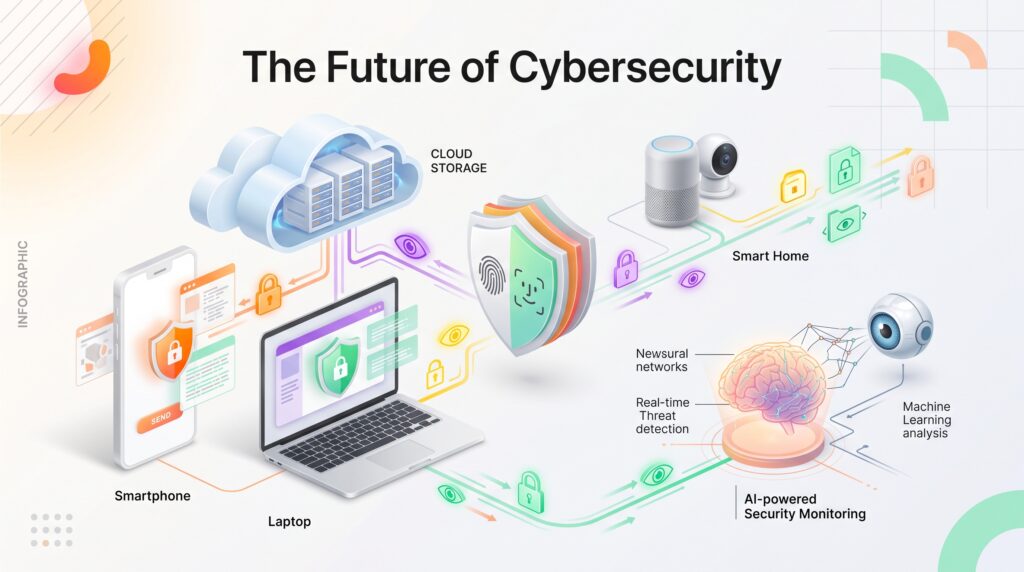
Artificial intelligence, automation, cloud services, connected devices, and increasingly sophisticated software are creating new opportunities as well as new security challenges. Modern security systems can use machine learning to identify unusual activity and potential threats.
For example, AI-powered tools can help security teams analyze large amounts of activity and identify unusual patterns. AI agents can also help automate certain security monitoring and response tasks. At the same time, criminals can use automated technologies to create more convincing scams.
This means security awareness will remain important as digital technology becomes more deeply integrated into everyday life. As technology evolves, cybersecurity basics remain important for everyday internet users.
The Future of Online Security
Future security systems are likely to rely increasingly on automated monitoring, stronger authentication, privacy-focused technologies, and intelligent threat detection. As digital threats continue to evolve, understanding cybersecurity basics can help users make more informed decisions about their online safety.
Passwordless authentication is also becoming more common across digital services. Instead of relying entirely on traditional passwords, users may authenticate through passkeys, security keys, biometrics, or other verification methods.
Connected devices will also require greater attention. Smart TVs, cameras, watches, speakers, and other Internet of Things devices can create additional points that need protection.
As the number of connected devices grows, keeping software updated and changing default credentials will become increasingly important.
Frequently Asked Questions
What are cybersecurity basics?
Cybersecurity basics are the fundamental practices used to protect devices, accounts, networks, and personal information from common digital threats.
What is the most important cybersecurity habit?
There is no single action that protects against every threat. Using unique passwords, enabling multi-factor authentication, keeping software updated, recognizing suspicious messages, and maintaining backups together provide a much stronger foundation.
Is a VPN enough to protect me online?
No. A VPN can improve privacy in certain situations, but it does not protect against phishing, malware, weak passwords, or social engineering.
Should I use a password manager?
For many people, a reputable password manager can make it much easier to use strong and unique passwords across multiple accounts.
How often should I update my passwords?
You do not necessarily need to change every password on a fixed schedule. Focus on using unique credentials and change a password immediately if you believe it has been exposed, reused after a breach, or otherwise compromised.
Can antivirus software prevent every cyberattack?
No security product can guarantee complete protection. Security software can help detect and block certain threats, but safe browsing habits and account protection remain important.
Final Thoughts
Staying safe online does not require becoming a cybersecurity expert. The biggest improvements often come from simple habits that are easy to maintain.
Use unique passwords, enable multi-factor authentication, keep your software updated, think carefully before clicking unfamiliar links, protect your devices, and maintain backups of important files. Following these cybersecurity basics can provide a strong foundation for safer everyday internet use.
It is also worth remembering that online security is an ongoing process. As technology and attack methods change, users need to periodically review their accounts, devices, applications, and privacy settings. By building these habits into everyday technology use, you can reduce many common digital risks and create a stronger foundation for protecting your personal information. Learning the basics of cybersecurity is a simple first step toward developing safer online habits. These cybersecurity basics can help users develop safer habits while using modern digital services.